Overview
UpSUTD is a student-focused marketplace that encourages the reuse and exchange of materials within the SUTD community. Students can browse, list and obtain reusable items, from acrylic sheets and wood planks to solar panels and cardboard, through a simple mobile interface. The project aimed to create an accessible platform that promotes sustainability while making item discovery and exchange effortless.
The problem
- Design and engineering projects leave behind plenty of usable materials, which often end up thrown away.
- Students struggle to find affordable or reusable materials within the campus community.
- Existing ways of exchanging items, such as group chats and word of mouth, were fragmented and inconvenient.
- Users needed one simple place to browse listings and connect with the people giving them away.
What I did
- Designed the user experience in Figma: mapped the key flows (sign in, browse, view a listing, chat and review) before building.
- Developed the mobile web app, focusing on the frontend and UI/UX.
- Built responsive layouts, intuitive navigation and search, optimised so students can find what they need quickly.
- Refined the interface to keep the experience consistent from screen to screen.
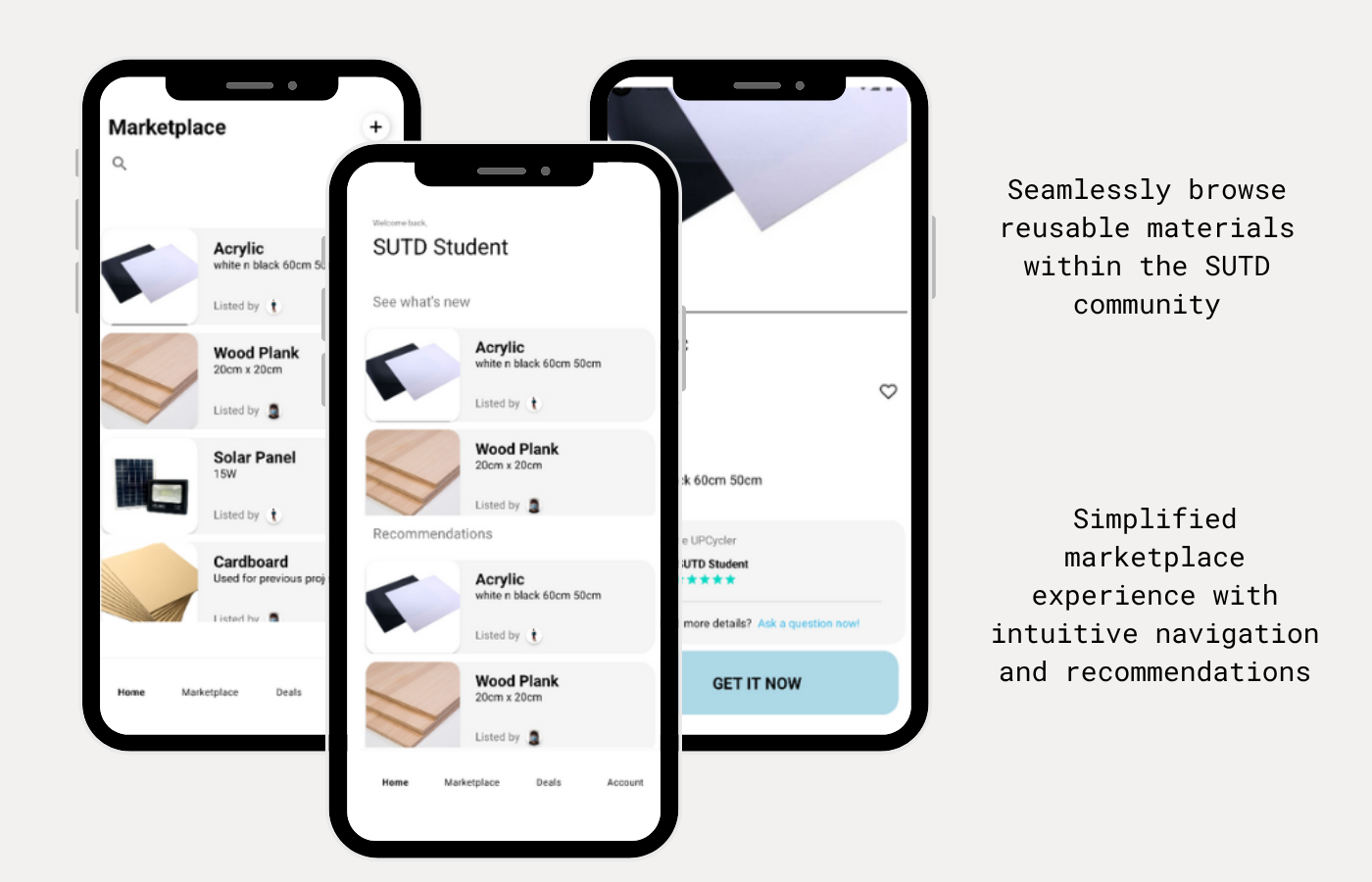
Designing the flows
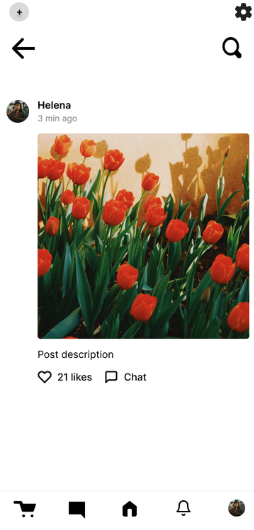
Before building, we designed the full set of screens in Figma, modelled on social marketplace patterns that students already know.
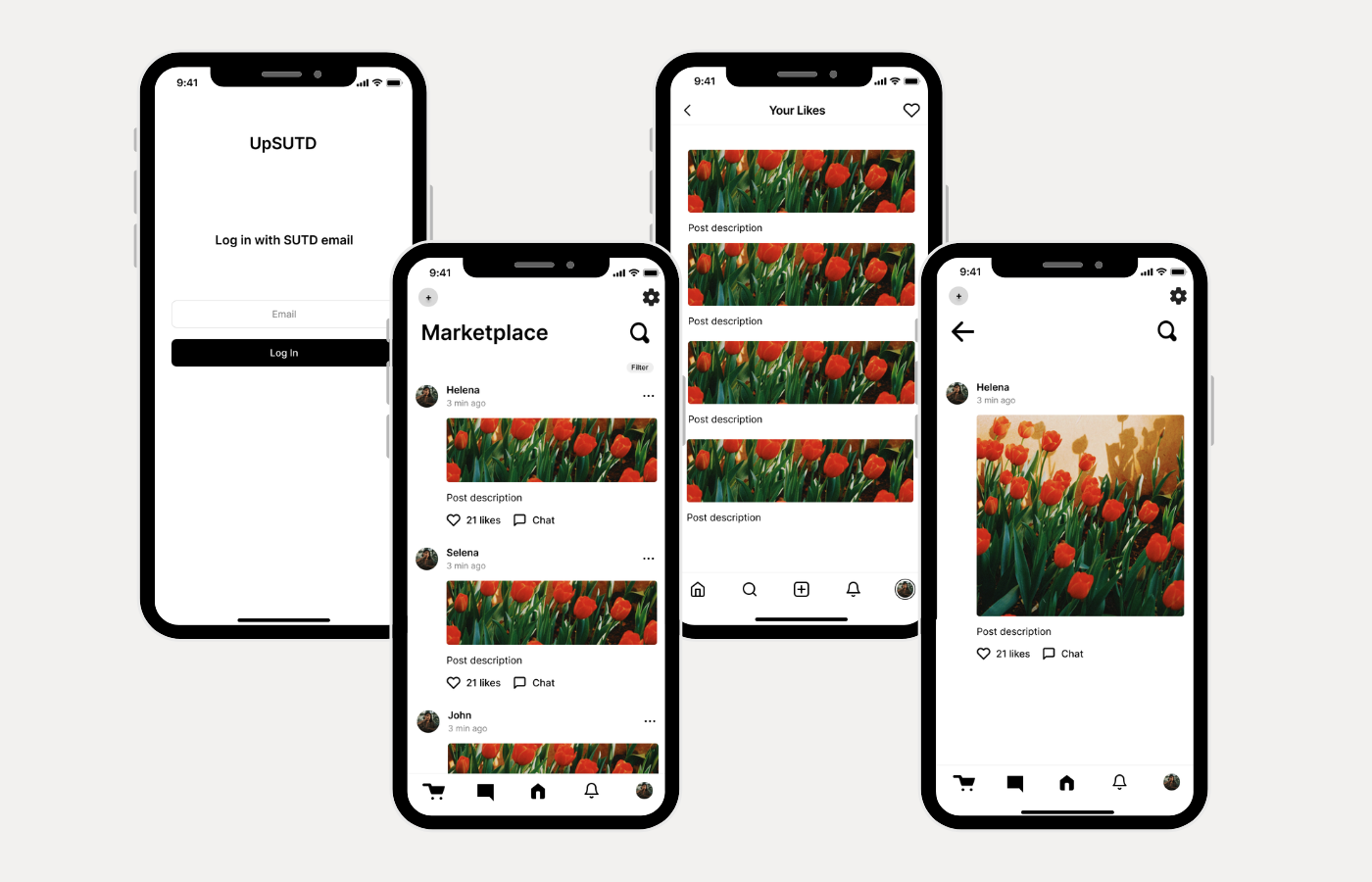
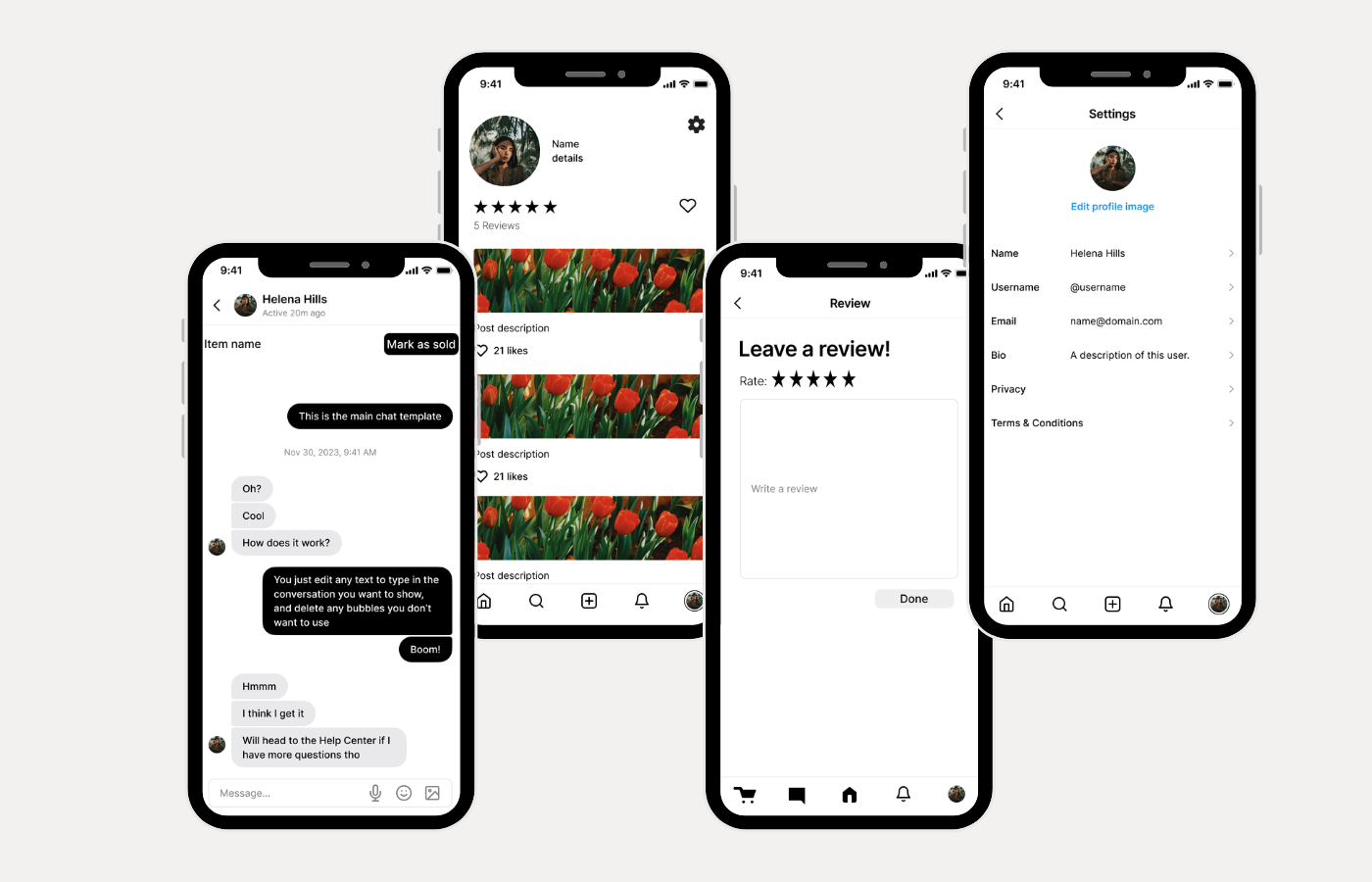
Key features
- SUTD-only sign in, so every listing comes from within the community
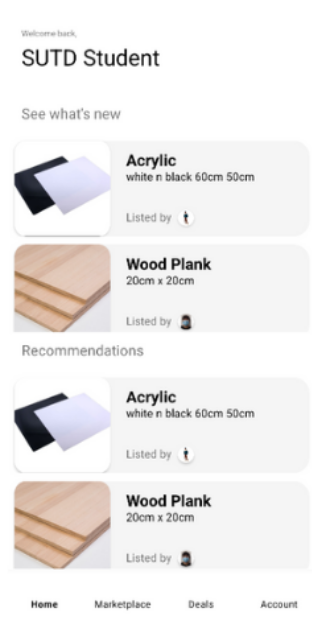
- Personalised home with See what’s new and Recommendations
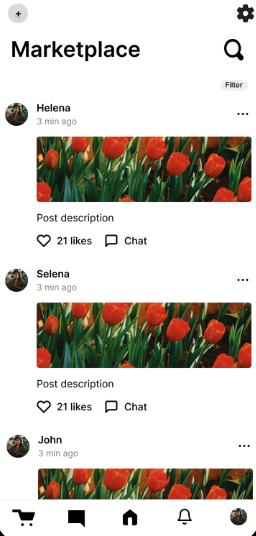
- Marketplace with search, showing each item’s size and who listed it
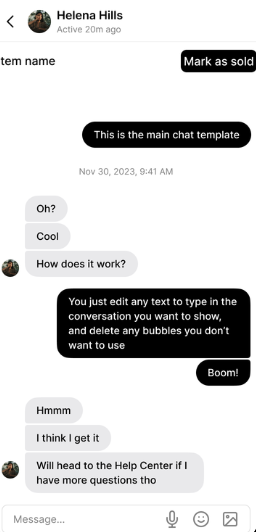
- In-app chat to arrange pick-ups, with a Mark as sold shortcut
- Ratings and reviews to build trust between students
Design decisions
- Familiar patterns: a feed, likes and chat, borrowed from apps students already use, so there is almost nothing to learn.
- Trust built in: SUTD email login, lister profiles and star ratings make swapping with strangers feel safe.
- One clear action: each item page ends with a single, prominent Get It Now button.
- Scannable cards: a photo, name and size on every listing let users judge an item at a glance.
Lessons learnt
- Learned how to design mobile interfaces that prioritise usability and accessibility.
- Improved my understanding of responsive layouts and frontend mobile development.
- Gained experience structuring marketplace-style user flows and navigation systems.
- Saw how moving from a Figma prototype to a working build means simplifying flows to fit time and technical limits.